Free Plan
$0
/ month
Explore the essentials.
01
Your VONDER account holds your avatar, your user name, and the email you signed in with.
Your account email is shown but can't be edited from the app — it's the identity your Personal Memory Graph is tied to, so changes need to be handled with care. If your email needs to change, please Contact Support.
You can update your avatar and user name any time from My VONDER › Settings › Account.
SIGNING IN
VONDER accounts are passwordless. Signing in sends a verification code to your email address. If it doesn't arrive, check your spam folder and confirm the address is the one the account was created with — there's no password to reset.
Sign-in works on both the mobile app and at app.vonder.ai. Your account is the same in both places.
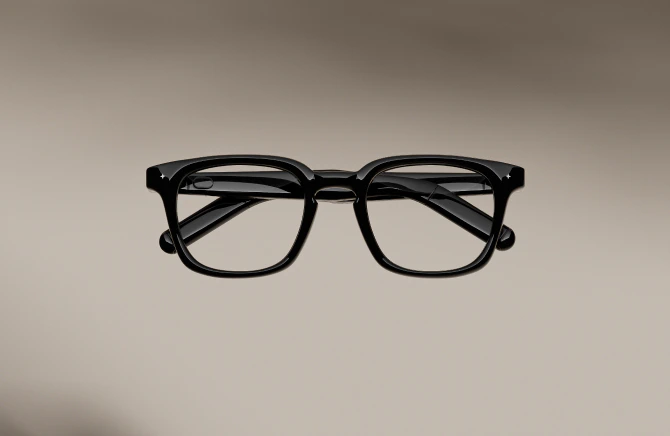
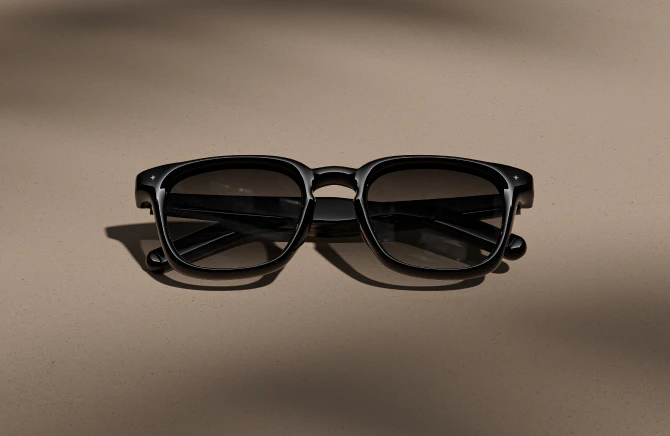
Settings > My Glasses > Device Info list the details of that particular pair:
Field | What is it |
|---|---|
Name | What this pair is called, also the name your phone shows in its Bluetooth list |
Accessory Name | VONDER Intelligent Eyewear |
Model | V1269 |
Serial Number | The unique number for this pair |
Firmware Version | The firmware currently installed |
Glasses Storage | How much room is left for notes that haven’t synced yet |
02
Free Plan
$0
/ month
Explore the essentials.
Plus Plan
$9.99
/ month
or $7.99/mo billed annually
More memory. Ask more, talk a little.
Pro Plan
$29.99
/ month
or $24.99/mo billed annually
Real conversations. Frontier answers.
Max Plan
$99
/ month
or $79.99/mo billed annually
For people who talk to VONDER all day.
HOW TOKEN WORKS
Every plan is one monthly token pool. Ask, Chat, Journal, and VONDER Insights all draw from it.
The numbers below are typical use. Shift between them as you need.
What you get | Free | Plus | Pro | Max |
|---|---|---|---|---|
Memory Capture | ~ 1 hour per day | ~ 2 hours per day | ~ 3-5 hours per day | All day |
Your Memory | Kept forever | Kept forever | Kept forever | Kept forever |
Ask Anything | 10 per day | 50 per day | 100 per day | Unlimited |
Live Chat | Not included | 30 min per month | 300 min per month | 1,000 min per month |
VONDER Insights | Not included | 2 per day | 5 per day | 15 per day, VONDER AI (Expert) |
Personalized News | Not included | Included | Included | Included |
Music and Calls | Included | Included | Included | Included |
Connectors | Calendar only | All | All | All |
VONDER API | Not included | Included | Included | Included |
Intelligence | VONDER AI (Light) | VONDER AI (Medium) | VONDER AI (High) | VONDER AI (Max) |
One-time top-ups when you need more. Never expire — use them any time, on any plan.
Price | Includes |
|---|---|
$4.99 | 2.5M tokens |
$9.99 | 5M tokens |
$19.99 | 10M tokens |
$49.99 | 25M tokens |
$99.99 | 50M tokens |
Add a boost from My VONDER › Add Usage Boost. Boosts stack — buy as many as you need.
Prices in USD. Prices may vary by region.
Discount may apply, visit VONDER App or Web for realtime prices.
HOW TO CHANGE PLANS
Open My VONDER › Subscription. Upgrade, downgrade, or switch billing period (monthly / annually) at any time.
Billing is handled through your platform's app store — App Store, Google Play, or Web. Cancellations follow your store's standard refund and renewal policy.
03
Plain-language on how VONDER handles what it hears and what it stores. The policy sits behind this — this section explains it.
WHAT VONDER CAPTURES
Only what you invite. Out of the box, VONDER takes no notes at all. You turn on All-day Autopilot Notetaking in My VONDER to capture your own voice throughout the day, or slide the Meeting switch on the left temple forward to include everyone in the room.
HOW IT'S STORED
Captured as text, not audio. Speech becomes a note or a memory, and the audio is deleted right after. There are no recordings for you or anyone else to play back.
No biometric data. VONDER doesn't build voiceprints, doesn't attach names to voices, and can't recognize a voice across conversations.
HOW IT'S PROTECTED
End-to-end encrypted. Even we cannot read your Personal Memory Graph. Financial-grade encryption in transit and at rest.
WHO ELSE CAN SEE IT
No one. Your Personal Memory Graph is yours alone. It isn't shared with advertisers, isn't used to train shared models, and isn't sold. Integrations you connect (like Claude or ChatGPT) send only the memories you allow.
HOW TO SEE OR DELETE IT
Everything is visible and editable in the app. To see or delete any single memory, open the Personal Memory Graph tab and tap a node. To erase everything at once, go to My VONDER › Data & Privacy › Erase all.
Read the full Privacy Policy →
04
The place to fine-tune what your intelligent eyewear does, how it listens, and how the assistant sounds. Everything lives in the VONDER app.
EYEWEAR
Add or reconnect the intelligent eyewear to your account, manage paired devices, and unpair when handing it on.
Toggle all-day capture of your own voice on or off. Off by default.
Turn “Hey VONDER” wake on or off. When off, use the double-tap wake area instead.
Turn the Chat Wake Zone on the right temple on or off. Disabling it reduces power consumption and prevents accidental touches.
Let the intelligent eyewear pause audio automatically when you take it off, and resume when you put it back on. You can calibrate the wear detection here as well.
3 modes shape how open-ear audio is projected.
Balanced — Everyday listening.
Privacy — Narrow beam, so what you hear stays with you.
Vocal — Speech-forward, even in noisy places.
AI & ACCOUNT
Choose the voice your assistant speaks with.
Adjust how quickly the assistant speaks.
Choose between VONDER AI with VONDER.ai (intelligent routing), Claude, Gemini, ChatGPT, or Deepseek. This applies to Chat in app.
Set a sensitive-info filter to keep certain topics out of what VONDER remembers.
View and manage your VONDER subscription plan. See the Subscription section above for the plan comparison.
05
Link to services you already use so VONDER can reach them on your behalf.
Connect a music service, and you can ask for something by name instead of reaching for your phone. Connect your Claude or ChatGPT account, and memories sync seamlessly.
AVAILABLE AT LAUNCH
Connectors | What it does |
|---|---|
Apple Music | Say “Hey VONDER, play something calm” and it plays from your library on iOS. Ask for a specific song, artist, or mood. |
Claude | Connect your Claude account so memories and context sync across VONDER Chat and Claude conversations. |
ChatGPT | Connect your ChatGPT account for the same seamless memory sync. |
Others | More integrations arrive over time. See My VONDER › Connectors for the current list. |
Integrations belong to your account — a service you connect on your phone is connected on app.vonder.ai too. Which connectors are available depends on your platform.
06
The phones and operating systems VONDER runs on.
OPERATING SYSTEM VERSIONS
Platform | Minimum |
|---|---|
iOS | iOS 18 |
Android | Android 14 |
TESTED PHONE MODELS
The following models have been tested for compatibility with the VONDER app and intelligent eyewear.
Brand | Tested models |
|---|---|
Apple iPhone | iPhone 15, iPhone 15 Pro, iPhone 16, iPhone 16 Pro, iPhone 16 Pro Max, iPhone 17, iPhone 17 Pro, iPhone 17 Pro Max |
Samsung Galaxy | Galaxy S24, Galaxy S25, Galaxy S26 Ultra, Galaxy Z Fold7, Galaxy Z Flip7, Galaxy A55 |
Google Pixel | Pixel 9 Pro, Pixel 10 Pro |
Xiaomi | Xiaomi 17 Pro |
OnePlus | OnePlus 13 |
Vivo | X100 |
RedMagic | 10 Pro |
ACCESSIBILITY
Technology like this should be within everyone's reach, and VONDER is built with that in mind. Because of their form, the glasses have no display of their own and no on-board visual interface, so if you're blind or have a low vision, the glasses aren't the part you'd rely on.
Accessibility support is built into the app instead: it works with VoiceOver, and the notes and summaries your glasses produce stay reachable without reading the screen.